HOLYCRAB / AI ULTRA FESTIVAL
Vibe FilmingAI Video from Idea to Screen
AI 影片創作:從構想到成片
See what is possible. Learn the workflow. Make your first video.

VIBE FILMING / AI ULTRA FESTIVAL
Why make an AI video?
把產品、人物與想法,變成觀眾看得懂的故事
01Show a product in use, not just on a slide.
02Reach customers through a presenter and their language.
03Test a creative idea before a larger production.

VIBE FILMING / AI ULTRA FESTIVAL
World-class ambition.
A workflow you can start.
先看高水準作品,再拆解成可操作的一小步
01Watch the story, performance and visual consistency.
02Look beyond a striking shot: assets, review and editing matter.
03Start small; build toward that level of craft.

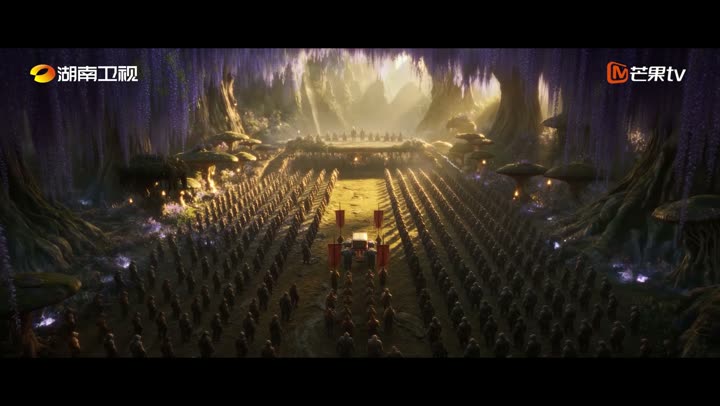
Playback / 影片播放
CASE STUDY / AI LONG-FORM PRODUCTION
AI drama on television
《后西游记》 · 成本、周期与市场反应
Mango Excellent 300413.SZ · daily · RMB
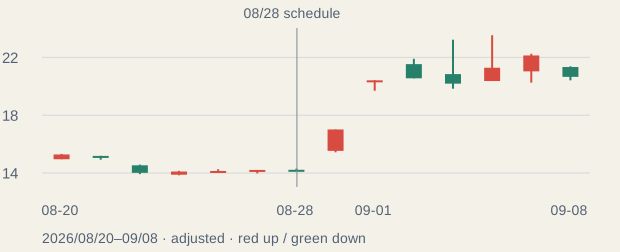
Event-window move; not proven drama-driven gains.

HOLYCRAB / PRODUCTION
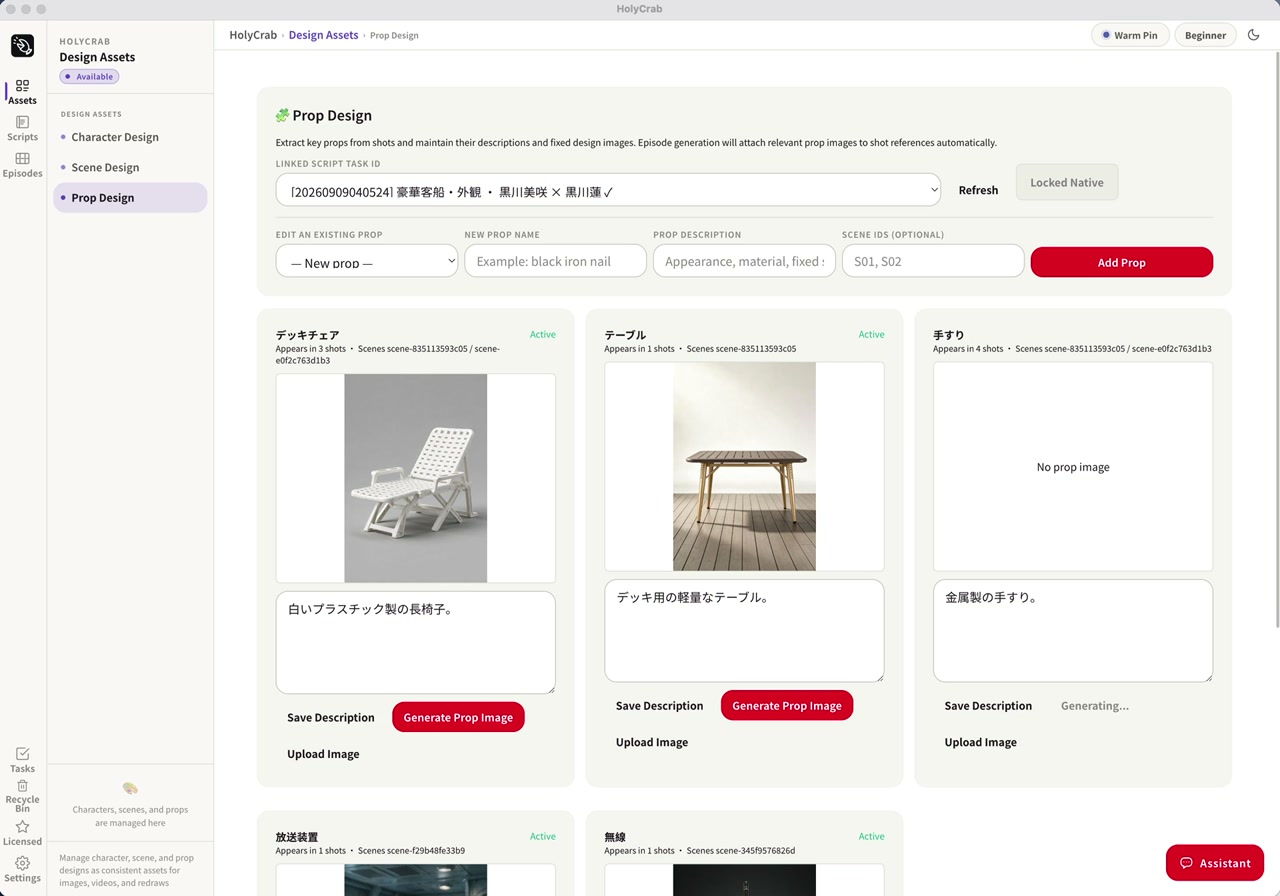
A production system,
not just a prompt
從劇本、角色、場景到鏡頭,保留每一次製作決策
HolyCrab production workflow · actual system screenshot

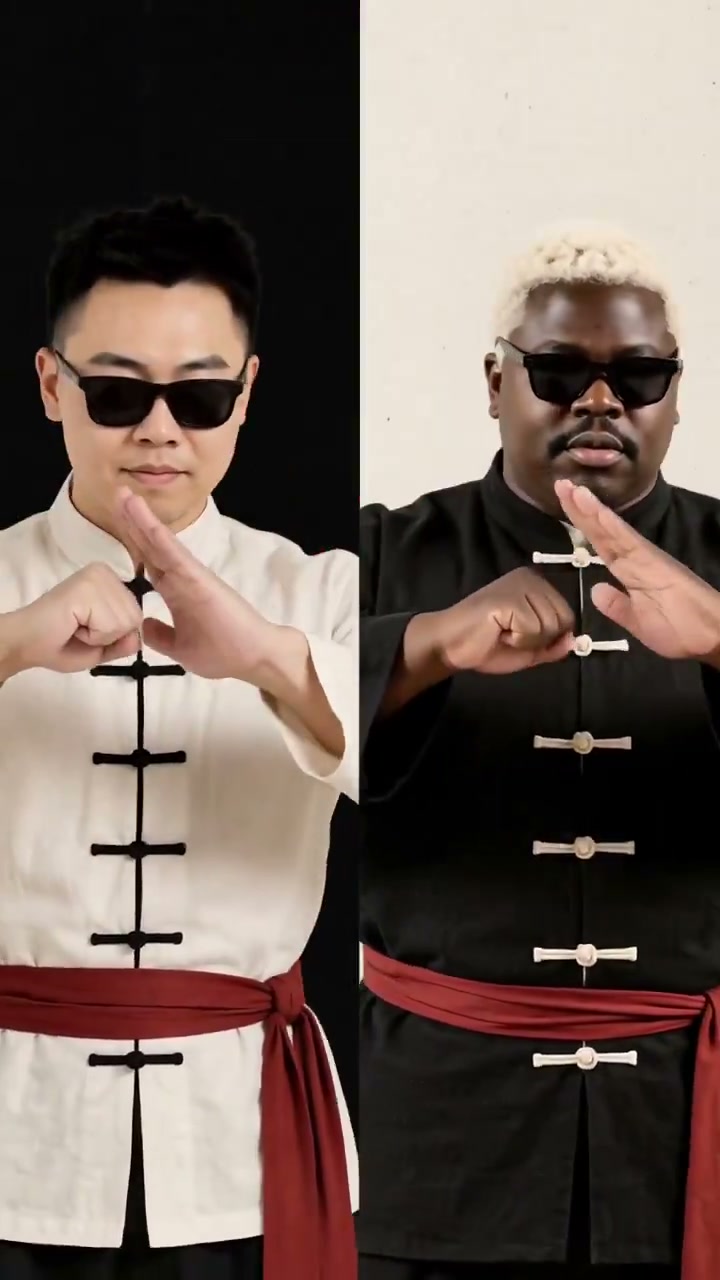
Playback / 影片播放
VIBE FILMING / CASE STUDY
Performance meets rhythm
表演、節奏與風格:HolyCrab 音樂影片案例

Playback / 影片播放
VIBE FILMING / CASE STUDY
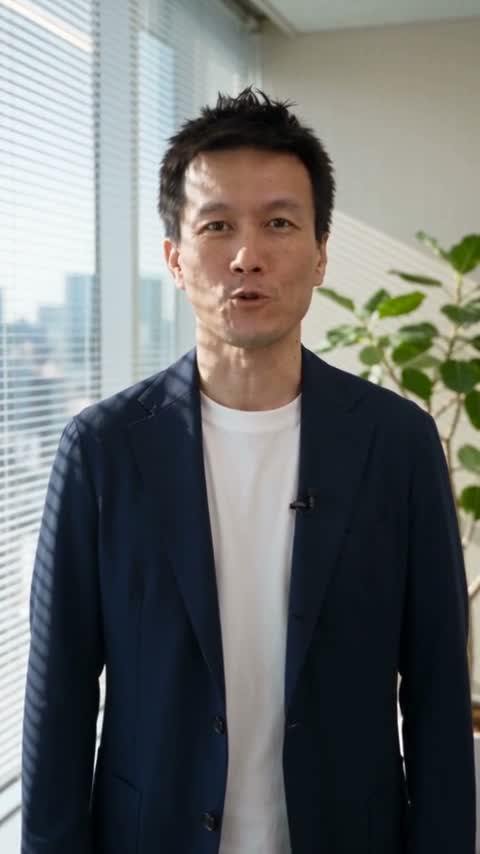
A real introduction.
In Japanese.
真實商務用途:Bruce 在日本客戶現場的自我介紹

VIBE FILMING / WORKSHOP DEMO
One person. One product.
A finished 30-second film.
先看成品:人物、商品與兩段銜接
Seedance 2.0 Fast 15s + 15s · English audio Advanced demo. Our first exercise is one simple 10s clip.
Open video →
VIBE FILMING / AI ULTRA FESTIVAL
What makes this repeatable?
看完成品,再看原始 Prompt 與參考照片
01Person asset: who appears. Product asset: what it looks like.
02Prompt: what happens, in what style, with what voice.
03Last frame: where the next shot begins.

VIBE FILMING / AI ULTRA FESTIVAL
Why use a coding agent?
你決定創意;Codex 負責執行與保留製作記錄
01Turn a brief into prompts and API requests.
02Check costs, track tasks and download the result.
03Reuse assets and continue a project without starting over.

VIBE FILMING / AI ULTRA FESTIVAL
Optional: see the canvas
同事示範 5–10 分鐘,學員只需觀看
01Prepared assets → connected generation nodes → result.
02A colleague shows one change in a prepared project.
03Then Bruce returns to the step-by-step workflow.

VIBE FILMING / AI ULTRA FESTIVAL
First understand.
Then make.
前半場解說,後半場循序動手
0100–30: why video, cases, assets and optional canvas.
0230–40: website first. 40–50: one video with Codex.
0350–55: optional frame continuation. 55–60: questions.

PROMPT 1 / 3 · 10 minutes
Make your first video on the web
第一步:先在網頁完成一條,不用安裝或配置 Key
- Sign in to HolyCrab and check your credits.
- Open text-to-video and paste this prompt.
- Select 2.0 Fast / 480p / 10s / 16:9 + audio; review the quote, then generate.
Done: play it, hear the voice, and download it. Queued is not finished.

完整步骤 + 可复制 Prompt
VIBE FILMING / AI ULTRA FESTIVAL
One playable result
is the first milestone
完成第一條,再增加難度
01Queued? Keep the task. Do not click Generate again.
02Completed? Watch the person and phone; listen to the line.
03Download it. Change only one thing on the next attempt.

VIBE FILMING / AI ULTRA FESTIVAL
One project.
One private chat.
不用先學 Terminal;等待 Agent 提示,再貼測試 Key
01Open a vibe-filming project in Codex.
02Create a limited test key in your HolyCrab account.
03Paste it into the same private Codex chat only when asked.

PROMPT 2 / 3 · 10 minutes · Codex-ready learners
Let Codex make one video
第二步:同一專案、同一私人聊天視窗
- Open a vibe-filming project in Codex.
- Paste the instructions; provide a new limited test key only when asked.
- Approve the quote. Generate and save one A.mp4.
Done: a playable A.mp4 with audio, its prompt, task ID and actual cost.

完整步骤 + 可复制 Prompt
VIBE FILMING / AI ULTRA FESTIVAL
Stuck? Diagnose.
Do not regenerate.
安裝、Key、排隊:一次只排查一個問題
01Command not found: ask the agent to check its install path.
02Invalid key: check the full key, limit and revocation status.
03No result: retrieve the existing task ID before retrying.

PROMPT 3 / 3 · 5-minute walkthrough · finish after rendering
Continue from the last frame
第三步:進階選做,先有成片才做續接
- Open the completed A.mp4 and inspect its ending.
- Extract the actual last frame; upload it and wait for ready.
- Approve a fresh quote, generate B, then join and inspect.
Done: keep A, bridge.png, B and final.mp4. Watch and listen across the join.

完整步骤 + 可复制 Prompt
VIBE FILMING / AI ULTRA FESTIVAL
Keep the work.
Build on it.
保留影片、Prompt、素材與任務 ID
01Save A, the bridge frame, B and the assembled film.
02Check picture and voice across the join.
03Website and API use the same credit pricing; quote each next task.

HOLYCRAB.AI @ AIULTRAFESTIVAL
Keep creating.
We are here to help.
有问题带着步骤和错误信息来问
- Join the HolyCrab workshop WhatsApp group.
- Share your stage, question and a redacted error if needed.
- Continue with your existing credits and saved project.
Website and API use the same credit pricing.

Workshop community · continue learning